Social Bots Overview
Overview
Social bots enable businesses to automate customer interactions, provide instant support, and enhance engagement across various messaging platforms. With Mingleego, you can create intelligent bots powered by AI assistants that respond to customer inquiries, process orders, provide information, and handle routine tasks 24/7. These bots integrate seamlessly with popular social media platforms, allowing you to reach customers where they already communicate.
Social bots can help you:
- Automate Customer Support: Provide instant responses to frequently asked questions, reducing response times and improving customer satisfaction.
- Handle Orders and Transactions: Process orders, track shipments, and manage customer requests through conversational interfaces.
- Engage with Your Audience: Send updates, promotions, and personalized messages to keep your customers informed and engaged.
- Scale Your Operations: Handle multiple conversations simultaneously without increasing your support team size.
- Provide Consistent Service: Ensure all customers receive the same quality of service, regardless of time or volume.
By leveraging AI-powered assistants, your social bots can understand context, maintain conversation flow, and provide intelligent responses that feel natural and helpful.
Available Platforms
Mingleego supports social bot integration across multiple popular messaging and social media platforms. Each platform offers unique features and reaches different audiences, allowing you to choose the best channels for your business needs.
Telegram
Enhance shopping with product recommendations and order assistance via Telegram.
Discord
Provide quick tech solutions and support for users on Discord servers.
Slack
Connect a Slack app to receive events and respond in channels and DMs.
Meta Platforms
Instagram, Facebook Messenger, and WhatsApp are all owned by Meta (formerly Facebook) and share common infrastructure and requirements. These platforms require additional setup steps compared to other social bot platforms.

Engage customers with menu updates and order processing through Instagram DMs.

Facebook Messenger
Support learning with resources and guidance via Facebook Messenger.
Offer instant customer support and updates through WhatsApp chats.
Important: To create bots for Instagram, Facebook Messenger, or WhatsApp, you must first have a Meta Business Account (also known as a Meta Business Portfolio). This is a prerequisite for accessing Meta's developer tools and APIs required for bot integration. If you already have a Meta Business Account, proceed to the Creating a Meta Developer App doc.
Business Account Requirement
Before you can create social bots for Meta platforms (Instagram, Facebook Messenger, and WhatsApp), you need to set up a Meta Business Account. This account serves as the foundation for managing your business presence across Meta's platforms and is required to:
- Access Meta's developer tools and APIs
- Create and manage Meta Developer Apps
- Link your business Pages and accounts
- Verify your business for production use
- Send messages to customers beyond test users
The Meta Business Account allows you to centralize management of your business assets, including Facebook Pages, Instagram accounts, WhatsApp Business numbers, and developer applications.
Creating a Meta Business Account
To create social bots for Meta platforms (Instagram, Facebook Messenger, and WhatsApp), you must first set up a Meta Business Account and create a Meta Developer App. This section guides you through creating a Meta Business Portfolio.
Note: If you already have a Meta Business Portfolio, you can skip this section and proceed to creating a Meta Developer App.
-
Navigate to Meta Business Suite:
- Visit business.facebook.com to access the Meta Business Suite.
- You will be prompted to create your business portfolio.
-
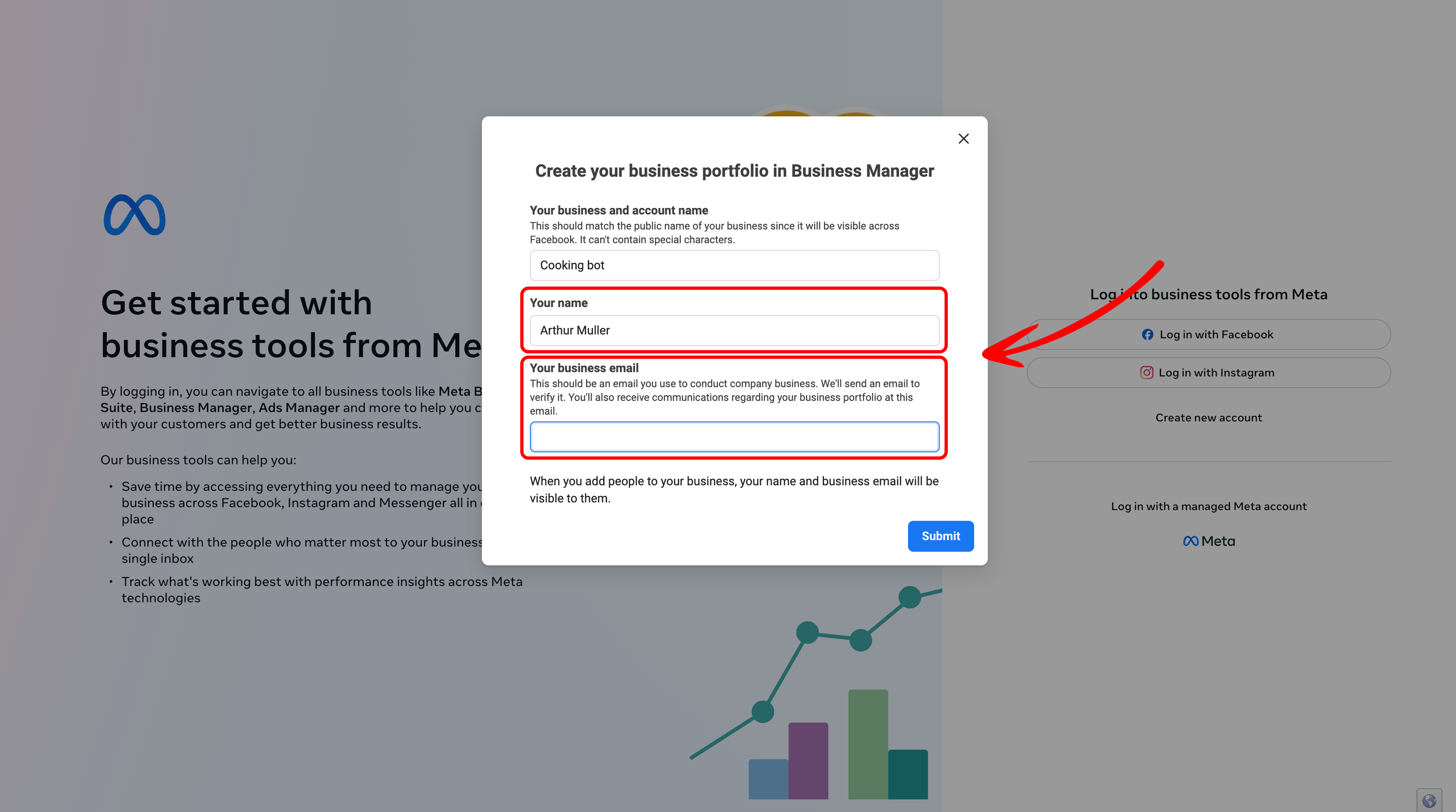
Enter Your Name and Email:
- Enter your name and email address when prompted.
- Important: After entering your email, you will need to confirm it by checking your inbox and clicking the confirmation link.
-
Complete Portfolio Setup:
- After confirming your email, your first business portfolio will be created, provided you don't already have one.
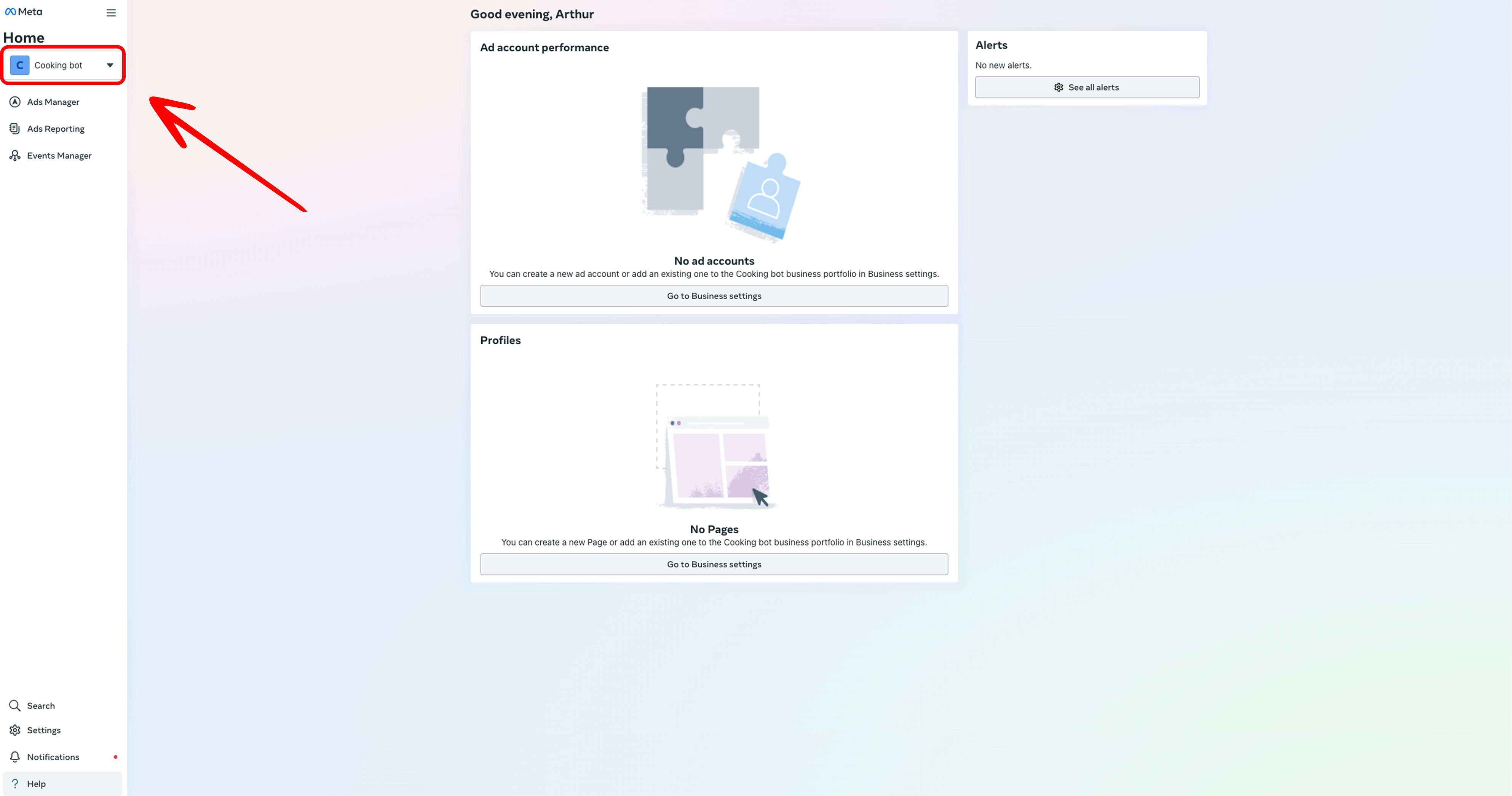
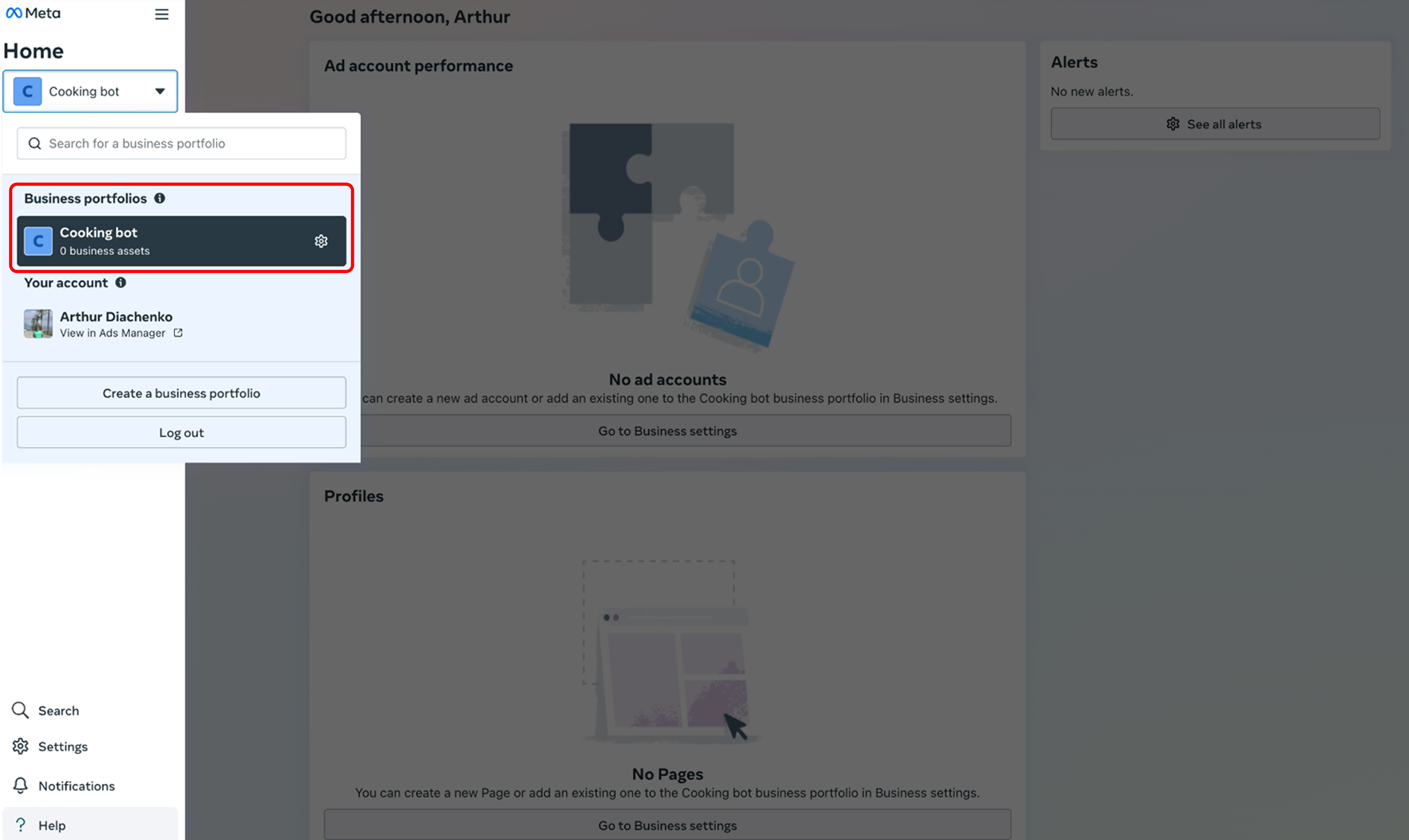
- After confirming your email, your first business portfolio will be created, provided you don't already have one.
Next Steps: Create a Meta Developer App
After creating your Meta Business Portfolio, you need to create a Meta Developer App to access Meta's APIs and developer tools. For detailed step-by-step instructions on creating and configuring your Meta Developer App, refer to the Creating a Meta Developer App guide.
Summary
Social bots provide a powerful way to automate customer interactions and enhance engagement across multiple messaging platforms. Whether you're looking to provide customer support, process orders, or keep customers informed, Mingleego's social bot platform makes it easy to create and manage intelligent bots powered by AI assistants.
Key Takeaways:
- Social bots can automate customer support, handle orders, and engage with your audience 24/7
- Mingleego supports bots for Instagram, Facebook Messenger, WhatsApp, Telegram, and Discord
- Mingleego supports bots for Instagram, Facebook Messenger, WhatsApp, Telegram, Discord, and Slack
- Meta platforms (Instagram, Messenger, WhatsApp) require a Meta Business Account before setup
- Each platform has its own setup process, but all integrate seamlessly with Mingleego's AI assistant system
- Once configured, bots can handle multiple conversations simultaneously and provide consistent, intelligent responses
To get started, choose a platform from the available options above and follow the platform-specific guide. For Meta platforms, ensure you have completed the Meta Business Account setup first.